Search for "ai roadmap prioritization" and the first page is a set of capability lists. AI clusters feedback, AI scores features consistently, AI flags dependencies, and then a closing line that humans still decide. None of them say which decisions humans keep, or how you would know if the AI's ranking is wrong. This post draws that line by decision type, explains why the ranking is only as good as the data it can join, and gives you a question that makes any AI ranking checkable.
Can AI prioritize your product roadmap?
Partly. AI can own the evidence work: gathering requests, joining them to accounts and revenue, computing a score from inputs you declared, and flagging stale evidence. It can propose a ranked order. It should not set the weights, make strategic bets, tell a customer no, or trade new work against commitments. Those stay human.
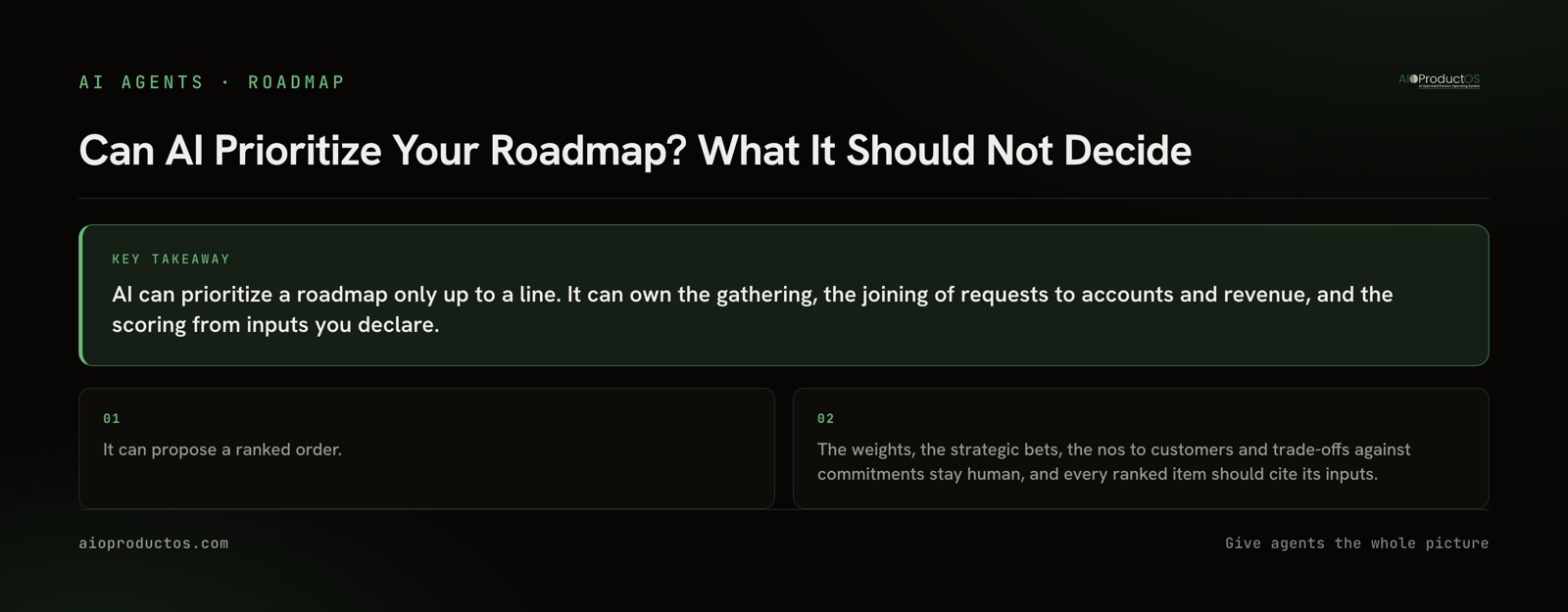
The useful split is not "AI does analysis, humans decide." It is three tiers. Some steps are lookup and arithmetic, and an assistant does them faster and more consistently than a person. One step, the ordered list, is a proposal: the assistant can produce it, but a person accepts or changes it. And some steps are judgment about what the company should become, which no amount of request data contains.
| Decision step | AI can own / propose / must stay human | Why | What to check |
|---|---|---|---|
| Gather requests from feedback, support and calls | AI can own | Collection and deduplication are mechanical | That nothing from a known source is missing |
| Join each request to its account and that account's revenue | AI can own | A lookup on the record, if the record holds the link | Account names and amounts you can open and confirm |
| Compute a score from declared inputs (RICE, WSJF, revenue-weighted) | AI can own | Arithmetic over inputs a human chose | The formula and every input, per item |
| Flag stale or missing evidence | AI can own | Comparing dates and links is a query | Date of the newest request behind each item |
| Produce the ranked order | AI can propose | The order follows from the score, but the score is not the whole picture | That each rank cites its inputs |
| Set the weights and the strategic bet | Must stay human | Strategy is what the data cannot see yet | That the weights were written down before the ranking ran |
| Say no to a customer | Must stay human (AI can draft) | A no is a relationship decision | Who asked, so the no reaches them |
| Trade new work against existing commitments | Must stay human | Contracts and promises are not in the request data | Which commitments the new item displaces |
The two framework posts on this site cover the scoring itself: a product prioritization framework that ranks features by revenue and how to rank your roadmap by revenue instead of votes. This post is about what changes when an AI runs that scoring for you.
How do you use ChatGPT to prioritize a product roadmap?
The common way is to export the backlog to a CSV, paste it into a chat assistant, and ask it to rank the items with RICE or by impact. It will produce a tidy, confident list. Be clear about what that list can and cannot see.
It can see what is in the file: titles, descriptions, vote counts, maybe an effort column. So it ranks by those. In practice that means one of two things. Either the ranking tracks vote count, because that is the only number in the file. Or it tracks how persuasive each request reads, because a well-written description sounds more important than a terse one. Neither is what you asked for.
What it cannot see is everything the CSV does not carry. It does not know that three of the twelve votes on an item came from your largest accounts. It does not know that a request is from a customer who churned last quarter. It does not know the newest request for an item is fourteen months old. And when you ask it for "reach" or "impact" in a RICE score, it fills those fields with plausible numbers, because the formula needs them and the file does not have them.
Pasting a spreadsheet is fine for a first pass on a small backlog. Just treat the output as a reading of the spreadsheet, not as a ranking of your business.
What data does AI need to prioritize a roadmap?
To rank by anything other than votes, an assistant has to follow a chain: request, to the account that made it, to what that account pays. Each link has to exist in the data it reads, not in someone's head.
In practice that means four things per roadmap item. The requests behind it, each linked to a real account. The revenue on each of those accounts, from billing rather than from memory. An effort estimate, from the people who will build it. And the date of each request, so stale evidence shows up as stale.
If your requests live in a feedback tool, your revenue in billing, and your backlog in a tracker, no assistant can make that chain on its own by reading one of them. It needs the joined record, or it needs you to do the join by hand first. This is the precondition behind most of what AI does well and badly in product work: the model is rarely the limit; the missing join usually is.
How do I check an AI's roadmap ranking myself?
Make every ranked item cite its inputs. A ranking you cannot trace back to requests, accounts and revenue is an opinion, however tidy it looks. So do not argue with the order. Ask for the evidence behind it and verify it yourself.
Connect an assistant to your product record over MCP (Claude, ChatGPT and Cursor all support it), then ask exactly this:
For the top 5 items in your ranking, list the requests behind each, the accounts that made them, each account's revenue, the effort estimate you used, and the date of the newest request. Mark any input you estimated rather than read.
A correct answer contains, for every item, named requests you can open, accounts with amounts you can confirm against billing, an effort figure with a source, and a date. It says plainly when an input is missing instead of filling it in. If an item ranks high but the newest request behind it is old, or the revenue total cannot be traced to named accounts, you have found the weak spot in the ranking, which is the point of asking.
To try this against data, AIOProductOS exposes its product record over MCP. Run npx -y @aioproductoscom/mcp@latest with no token to start in demo mode against a seeded showcase workspace, or add https://platform.aioproductos.com/api/mcp as a custom connector in any MCP host.
When you should not let AI near the ranking
Sometimes the honest answer is that an AI ranking adds nothing, or adds false confidence.
If your backlog is small, say twenty items you can hold in your head, a spreadsheet and RICE, scored in a meeting, is faster and you will understand every number. The RICE calculator is enough.
If you have no revenue data, or your requests are not linked to accounts, an AI cannot rank by revenue. It will either rank by votes or invent the missing field. Fix the data first.
If the decision is a strategic bet, such as entering a segment you do not sell to yet, the data is against you by design. Today's customers did not ask for it. A ranking built on their requests will always put it at the bottom, and that is not evidence that it is wrong.
If you have regulated or contractual commitments, those come first regardless of score, and the AI does not know about them unless you tell it. Put them outside the ranking entirely.
Tools that support this
Any setup works if it gives the assistant the joined chain and makes it cite its inputs. In AIOProductOS, every backlog item carries the customer request and the revenue behind it, and features rank by request count and revenue at stake using RICE, WSJF, Value-Effort, MoSCoW or Kano. Revenue, demand and work questions compute deterministically from the record rather than from a model's guess. AI teammates hold real seats with role-scoped permissions, act on those same records, and submit their work for human review, which matches the split above: they do the evidence work, and a person makes the call. The AI agents page shows how they are set up. For the founder-run version of the same discipline, see keeping a startup roadmap current with AI.
To run this on your own backlog and customer data, start a 7-day free trial.